# diffBragg examples
* [Acquiring test data](#testdata)
* [Simulating test data](#simulating)
* [Creating structure factor input](#sf)
* [Per-image refinement of crystal models with `diffBragg.hopper_process`](#hopper_process)
* [X-ray energy spectra](#spectra)
* [Monochromatic model refinement](#mono)
* [Polychromatic model refinement](#poly)
* [Multi-image refinement of detector models with `diffBragg.geometry_refine`](#geometry)
* [API FAQ](#apifaq)
# setup test data
These instructions assume you have a working CCTBX environment, and that the command `libtbx.python` is in your path. Also, this tutorial will assume you are using NERSC (instructions for private linux clusters will be provided in due time).
Start by navigating to your CCTBX build's modules folder on your computer. If you are unsure where this is, try issuing the following command
```
$ libtbx.python -c 'import cctbx;print(cctbx.__file__.split("/cctbx_project")[0])'
/Users/dermen/CrystalNew/modules
$ export MOD=/Users/dermen/CrystalNew/modules
```
Now, in the modules folder, download the `cxid9114` repository and use `git-lfs` to bring in some data files
```
cd $MOD
git clone https://github.com/dermen/cxid9114.git
# install git-lfs (if on nersc, just load the module
cd ~/Crystal/modules/cxid9114
module load git-lfs
cd ~/Crystal/modules/cxid9114
git lfs install
git lfs fetch
git lfs pull
```
Optionally, though highly recommended, install [`mpi4py`](https://mpi4py.readthedocs.io/en/stable/install.html).
## Simulating images
The first step in simulating data using `cxid9114` is to create a background image:
```
libtbx.python $MOD/cxid9114/sim/d9114_mpi_sims.py -odir . --bg-name mybackground.h5 --make-background --sad
```
To view the background image, install the proper image format provided in the repository.
```
dxtbx.install_format -u $MOD/cxid9114/format/FormatD9114.py
dials.image_viewer mybackground.h5
```
should produce the image:
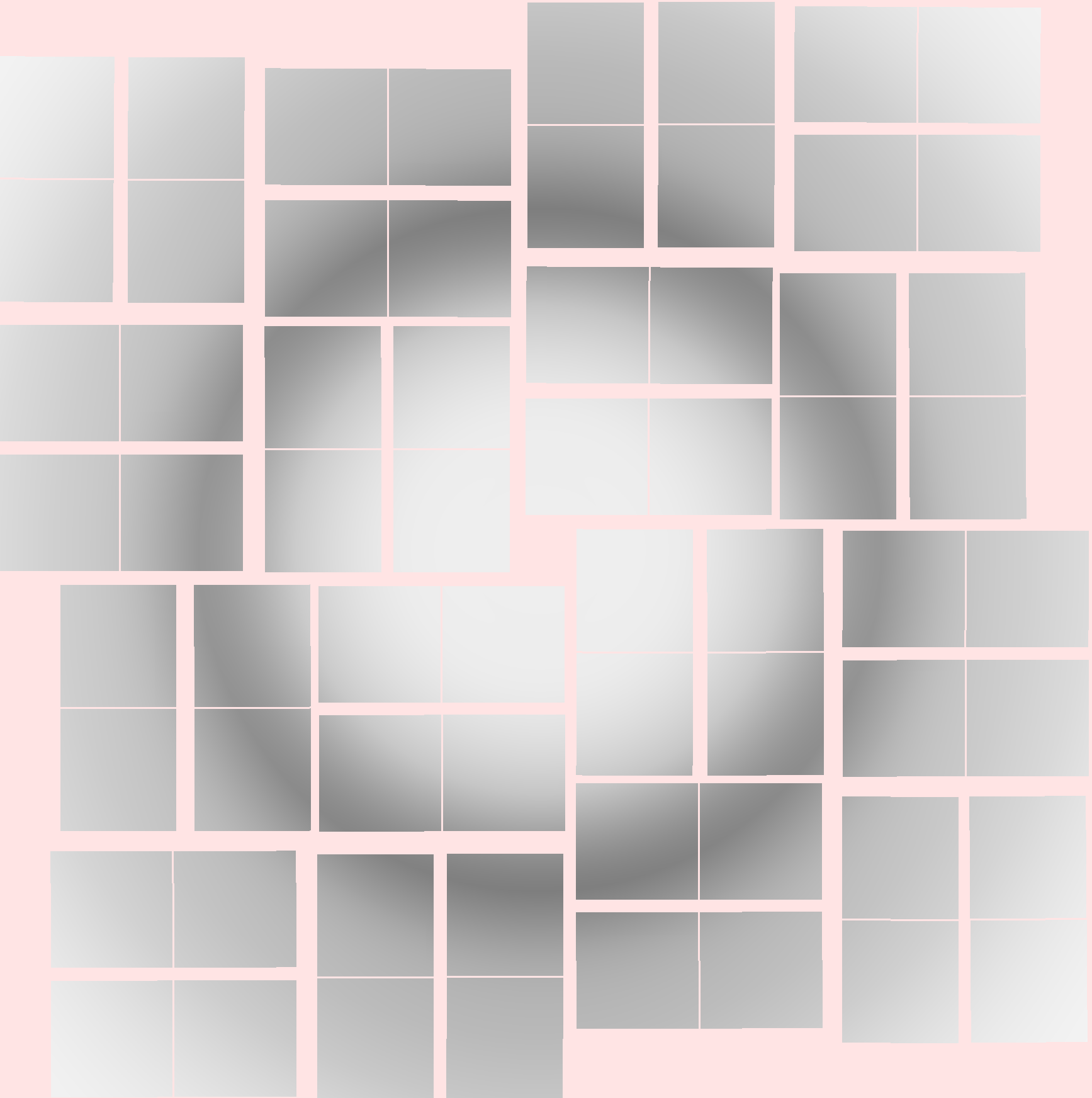
Now, we can simulate the diffraction using this image as background. The command is
```
srun -n8 -c2 libtbx.python $MOD/cxid9114/sim/d9114_mpi_sims.py -o test -odir poly_images --add-bg --add-noise --profile gauss --bg-name mybackground.h5 -trials 13 --oversample 0 --Ncells 10 --xtal_size_mm 0.00015 --mos_doms 1 --mos_spread_deg 0.01 --saveh5 --readout --masterscale 1150 --sad --bs7real --masterscalejitter 115 --overwrite --gpu -g 8
```
the above command will simulate 13 diffraction patterns per rank from randomly oriented crystals. If you are not on NERSC, then drop the `srun -n8 -c2` prefix , and if you do not have GPU support, drop the `--gpu -g8` flags at the end of the command, and instead add the flag `--force-mono` in order to only simulate a single wavelength per pattern. The images can also be opened with the image viewer:
```
dials.image_viewer poly_images/job0/test_rank0_data0_fluence0.h5
```
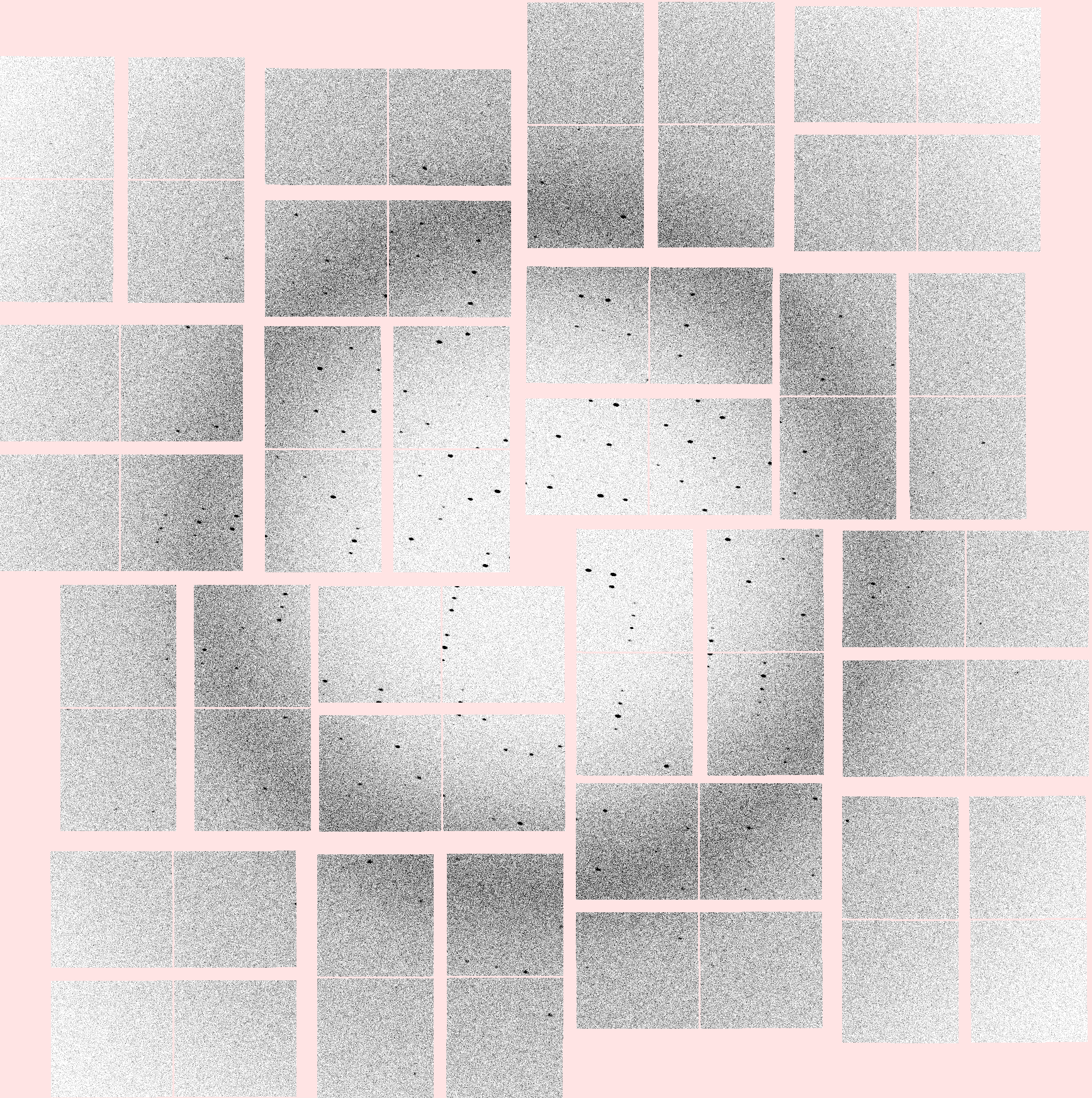
Now that we have patterns, we can process them using the diffBragg wrapper script `diffBragg.hopper_process`.
## Structure factors
Ultimately, diffBragg was designed to optimize structure factors. Before ever running diffBragg, one needs an initial guess of the structure factor amplitudes.
If you have access to many images, consider [processing](https://github.com/dermen/cxid9114#process-the-images-with-dials) and [merging](https://github.com/dermen/cxid9114#merge-the-data) them following the standard `cctbx.xfel.merge` protocol. Also, one can create a structure factor list from PDB coordinates rather easily using CCTBX, see [here](https://gitlab.com/cctbx/diffbragg_benchmarks/-/blob/main/README.md#making-100shuffhkl), for example.
For this test data, a merge is included in the `cxid9114` repo, brought in with `git lfs`. Convert it to [`mtz` format](https://www.ccp4.ac.uk/html/mtzformat.html) following the simple command
```
cd $MOD/cxid9114
iotbx.reflection_file_converter --unit_cell="79.09619904, 79.09619904, 38.41749954, 90, 90, 90" --space_group=P43212 --mtz=iobs_all.mtz --mtz_root_label=I iobs_all.hkl=intensities
```
and then note the location so it can be included in your processing configuration files below, described below.
# Using `diffBragg.hopper_process`
We have simulated 104 images, and now we shall process them using the command line tool `diffBragg.hopper_process`, a child program of `dials.stills_process`. Crucially, we will be disabling outlier rejection and all forms of refinement that are usually done during `dials.stills_process` analysis, in favor of the pixel refinement tools in diffBragg, which are wrapped in `diffBragg.hopper_process`.
## X-ray spectra
If X-ray spectra are available for your data, then they should be encoded in the image format. In the `cxid9114` image files, spectra are stored in the hdf5 datasets `"wavelengths"` and `"spectrum"`:
```python
import h5py
h = h5py.File("poly_images/job0/test_rank0_data0_fluence0.h5", "r")
a,b = h['wavelengths'][()], h['spectrum'][()]. # `spectrum` was a poor choice of name here, these are just the spectrum weights
h.close()
import pylab as plt
plt.plot( a, b)
plt.xlabel("wavelength $\AA$",fontsize=12)
plt.gca().tick_params(labelsize=11)
# check the mono wavelength is set correctly
import dxtbx
dx = dxtbx.load("poly_images/job0/test_rank0_data0_fluence0.h5")
ave_wave = dx.get_beam(0).get_wavelength()
plt.subplots_adjust(bottom=0.15)
plt.vlines( ave_wave, b.min(), b.max(),ls='--', color='tomato')
plt.show()
```

The spectra are encoded in the format class `FormatD9114.py` which was installed above using `dxtbx`.
## Monochromatic `hopper_process`
Let's assume that we do not have spectra - we can still run `hopper_process` using the wavelength associated with each image (e.g. a weighted mean). To do that, execute the following command
```
DIFFBRAGG_USE_CUDA=1 srun -n 8 -c2 diffBragg.hopper_process process.phil "poly_images/job*/*.h5" mp.method=mpi mp.nproc=8 num_devices=8 dispatch.integrate=True spectrum_from_imageset=False output.output_dir=poly_images/procMono
```
The configuration file `process.phil` contains
Example process.phil
```
spotfinder {
threshold.algorithm=dispersion
threshold.dispersion.gain=28
threshold.dispersion.global_threshold=40
threshold.dispersion.kernel_size=[2,2]
threshold.dispersion.sigma_strong=1
threshold.dispersion.sigma_background=6
filter.min_spot_size=2
}
indexing {
method=fft1d
known_symmetry.unit_cell=79.1,79.1,38.4,90,90,90
known_symmetry.space_group=P43212
refinement_protocol.mode=None
stills {
rmsd_min_px=4
refine_all_candidates=False
}
}
integration.summation.detector_gain=28
input.sync_reference_geom = False
output.composite_output = False
# hopper process config:
save_modelers=True
silence_dials_loggers=True
partial_correct=False
reidx_obs=False
diffBragg {
no_Nabc_scale=False
method="L-BFGS-B"
use_restraints=False
space_group=P43212
spectrum_from_imageset = True
downsamp_spec {
skip = True
}
roi {
shoebox_size=12
fit_tilt=True
fit_tilt_using_weights = False
hotpixel_mask = None
reject_edge_reflections = False
reject_roi_with_hotpix = False
pad_shoebox_for_background_estimation=10
}
refiner {
adu_per_photon = 28
sigma_r=3
}
simulator {
oversample=2
crystal.has_isotropic_ncells = False
structure_factors.mtz_name = iobs_all.mtz
structure_factors.mtz_column = "I(+),SIGI(+),I(-),SIGI(-)"
init_scale = 1
beam.size_mm = 0.001
detector.force_zero_thickness = True
}
init {
Nabc=[13,14,15]
G=100
}
mins {
Nabc=[3,3,3]
detz_shift=-1.5
RotXYZ=[-15,-15,-15]
G=0
}
maxs {
RotXYZ=[15,15,15]
Nabc=[1600,1600,1600]
G=1e12
detz_shift=1.5
}
sigmas {
RotXYZ=[1e-3,1e-3,1e-3]
}
fix.detz_shift=True
}
```
however command line parameters supersede whats in the PHIL file. Notice the command line argument `spectrum_from_imageset=False`. This tells `diffBrag.hopper_process` to use a single nominal wavelength, and ignore any X-ray spectra that might be present in the data. By setting this flag, a monochromatic diffraction model is refined for each shot. The command takes 71 seconds to run on a single NERSC compute node utilizing 8 GPUs and 8 processors (1 GPU per process), and optimizing models for 104 shots. We have prepared a simple script called `quick_detresid.py` for analyzing the results
quick_detresid.py
```python
"""quick_detresid.py"""
import glob
import sys
from dials.array_family import flex
from dxtbx.model.experiment_list import ExperimentListFactory
import numpy as np
from dxtbx.model import ExperimentList, Experiment
import os
dirname = sys.argv[1]
fnames = glob.glob(dirname+ "/*indexed.refl")
if not fnames:
print("no fnames")
exit()
detname = fnames[0].replace("indexed.refl", "refined.expt")
assert os.path.exists(detname)
El = ExperimentListFactory.from_json_file(detname, check_format=False)
dummie_explist = ExperimentList()
D = El[0].detector
B = El[0].beam
R = flex.reflection_table()
for i,f in enumerate(fnames):
dummie_exp = Experiment()
dummie_exp.detector = D
dummie_exp.beam = B
dummie_explist.append(dummie_exp)
r = flex.reflection_table.from_file(f)
eid = r.experiment_identifiers()
for k in eid.keys():
del eid[k]
r['id'] = flex.int(len(r), i)
R.extend(r)
print(i)
pid = R['panel']
cents = []
sel = []
for i in range(len(R)):
p = pid[i]
x,y,z = R[i]['xyzcal.px']
if np.isnan(x):
sel.append(False)
x = y = z = 0
else:
sel.append(True)
xm,ym = D[p].pixel_to_millimeter((x,y))
cents.append((xm,ym,0))
print(i)
R['xyzcal.mm'] = flex.vec3_double(cents)
R2 = R.select(flex.bool(sel))
R2['id'] = flex.int(len(R2),0)
print("Good ones %d / %d" % (len(R2), len(R)))
ref = os.path.join(dirname, "comb.refl")
exp = os.path.join(dirname, "comb.expt")
R2['delpsical.rad'] = flex.double(len(R2), 0)
R2.as_file(ref)
dummie_explist.as_file(exp)
print("wrote %s, %s" % (ref, exp))
### Call detresiduals
detresid_phil="""
dot_size=3
colormap=Oranges
repredict_input_reflections=False
hierarchy_level=1
residuals {
plot_max=0.3
exclude_outliers_from_refinement=False
}
plots {
include_offset_dots=True
include_scale_bar_in_pixels=1
positional_displacements=True
deltaXY_by_deltapsi=False
per_image_RMSDs_histogram = False
include_radial_and_transverse = False
unit_cell_histograms = False
pos_vs_neg_delta_psi=False
}
"""
o = open("_detresid.phil", "w")
o.write(detresid_phil)
o.close()
os.system("cctbx.xfel.detector_residuals %s/comb.* _detresid.phil" % dirname)
```
It simply combines the relevant outputs and wraps the command line program `cctbx.xfel.detector_residuals`. We are interested at this point to see how well the refined model predicts the strong spot observations. Issue the command
```
libtbx.python quick_detresid.py poly_images/procMono
```
and you will see an image display, as well as some numbers print to the screen indicating how well the monochromatic model predicts the data:
```
RMSD (microns) 94.76634677545071
Overall radial RMSD (microns) 65.9469202178172
Overall transverse RMSD (microns) 68.05633104237863
```

The image is referred to as the detector residuals, where each point represents an observed reflection, and the color represents the distance to its corresponding predicted reflection according to the optimized model. Not bad for a CSPAD with 110 micron pixels.
## Polychromatic `hopper_process`
Can a polychromatic model predict spots more accurately? To use the spectra associated with each image, drop the flag ```spectrum_from_imageset=False``` from the command line (it's set to `True` in ```process.phil```):
```
DIFFBRAGG_USE_CUDA=1 srun -n 8 -c2 diffBragg.hopper_process process.phil "poly_images/job*/*.h5" mp.method=mpi mp.nproc=8 num_devices=8 dispatch.integrate=True output.output_dir=poly_images/procPoly
libtbx.python quick_detresid.py poly_images/procPoly
#RMSD (microns) 61.79812988365175
#Overall radial RMSD (microns) 46.86256672413951
#Overall transverse RMSD (microns) 40.285340970907185
```

These new numbers indicate a more accurate model, owing to the fact that we used a polychromatic energy spread. In fact these numbers represent the best we can do when we know our detector geometry perfectly. This time, the command took 200 seconds to process, as more photon energies were simulated per shot.
## Output files
In addition to the files provided by `stills_process`, `hopper_process` creates some output data.
### pandas dataframes
For every refined shot, a single-row pandas frame is written containing the model information for that shot. A combined multi-row pandas frame is written for the entire processing run, provided it terminates successfully. This is written directly to the stills process output folder. If the processing terminates prematurely, then you will need to create this file yourself, however it's simply done:
```python
import pandas
import glob
fnames = glob.glob("poly_images/procBad/pandas/rank*/*pkl")
df = pandas.concat([pandas.read_pickle(f) for f in fnames])
df.to_pickle("poly_images/procBad/hopper_process_summary.pkl") # for example
```
You can examine the spread of parameters to provide key insights into e.g restraints settings for reprocessing (`hopper_process` has a restraints framework explained [TODO: HERE]). Here is an example script which reports on some of the main model parameters:
```python
import pandas
import numpy as np
import pylab as plt
df = pandas.read_pickle("poly_images/procBad/hopper_process_summary.pkl")
df[['a','c']].hist(bins=30)
na,nb,nc = np.vstack(df.ncells).T
df['Nc'] = nc
df['Nb'] = nb
df['Na'] = na
df['logG'] = np.log10(df.spot_scales)
df[['Na','Nb', 'Nc', 'logG']].hist(bins=30)
print("Values for Centers\n------------------")
print(df[['a','c','Na','Nb', 'Nc', 'logG']].median().to_string())
print("\nValues for betas\n----------------")
print((df[['a','c','Na','Nb', 'Nc', 'spot_scales', 'rotX', 'rotY', 'rotZ']].std()**2).to_string(float_format="%1.4e"))
plt.show()
# Prints the following output: """
Values for Centers
------------------
a 79.313096
c 38.507866
Na 7.331476
Nb 7.521334
Nc 8.755147
logG 6.970101
Values for betas
----------------
a 5.0158e-03
c 7.3103e-03
Na 1.5804e+00
Nb 1.2466e+00
Nc 5.3183e-01
spot_scales 1.3635e+13
rotX 4.1677e-05
rotY 2.9263e-05
rotZ 2.7671e-06
"""
```


The previous script produces histograms of the unit cell parameters, as well as the mosaic domain blocksizes (Na,Nb,Nc), and the log of the per-shot scale factors (logG).
For a full description of the pandas output file see [TODO].
### modelers folder
For every shot, up to 3 files are written to the modelers folder. These are
* The simulator state file (`*SimState.txt`), showing the values of almost every diffBragg attribute. This is useful for reproducing the results
* The `*.lam` file, which is a 2-column text file containing the spectrum that was used by the refiner. It can be loaded using `diffBragg/utils.py:load_spectra_file`
* if the flag `save_modelers=True` was passed, then a data modeler file will be written containing the pixel data that was used during refinement (final model values, data, mask, background, etc). These files can be loaded using `mod=np.load("modeler.npy", allow_pickle=True)[()]`. The phil parameters are also stored in this pickle as well, for reference. See the class `DataModeler` defined in `diffBragg/hopper_utils.py` for more details.
# Correcting a faulty geometry with `diffBragg.geometry_refiner`
>:warning: Geometry refinement is currently using the `lmfit` module.
Install it using pip:
```
libtbx.python -m pip install lmfit
```
## Getting the faulty geometry
We have prepared a faulty experimental geometry with which to process the data, derived from real experimental errors associated with the CSPAD geometry. We can use diffBragg to optimize the geometry using polychromatic pixel refinement, therefore extending geometry refinement to more complex scenarios (e.g. Laue or two-color diffraction). One must extract the faulty geometry from a raw form and write it to disk, using the following simple script:
```python
from cxid9114.geom.multi_panel import CSPAD2
from dxtbx.model import Experiment, ExperimentList
El = ExperimentList()
E = Experiment()
E.detector = CSPAD2
El.append(E)
El.as_json("badGeo.expt")
```
### Processing with a faulty geometry
Now, we can process the simulated images using the faulty geometry and observe the effect it has on the prediction offsets (they should get worse!). Issue the command
```
DIFFBRAGG_USE_CUDA=1 srun -n 8 -c2
diffBragg.hopper_process process.phil "poly_images/job*/*.h5" mp.method=mpi mp.nproc=8 num_devices=8 dispatch.integrate=True output.output_dir=poly_images/procBad reference_geometry=badGeo.expt
```
The flag `reference_geometry=badGeo.expt` forces the geometry file stored in `badGeo.expt` to override the geometry defined by the image format. In this way, all models we optimize are subject to the errors in the geometry. Indeed we find that the prediction errors are much worse when using a faulty geometry
```
libtbx.python quick_detresid.py poly_images/procBad
#RMSD (microns) 117.83984508972222
#Overall radial RMSD (microns) 92.76564120886626
#Overall transverse RMSD (microns) 72.66887161555252
```

## Optimizing the faulty geometry
Whereas `diffBragg.hopper_process` operates on single images, `diffBragg.geometry_refiner` operates on multiple images together that all share the same detector model.
### panel groups
`diffBragg` does not currently understand the `dxtbx` detector hierarchy models, so it is up to the user to provide a panel group mapping in the form of a 2-column text file (the first column specifies the panel number, and the second column specifies its group number). In order to create a panel group file, one needs to know the panel numbering visually. The detector residuals plots shown above display this information, and there is also the program `dxtbx.plot_detector_models` which takes experiment list files as arguments and plots the detector with its panel numbers displayed. Also, the image viewer displays the panel numbers as you hover over pixels (look for the value readout in the pixel info underbar). The following shows how to create three different panel grouping files for the CSPAD which are understood by `geometry_refiner`:
```python
with open("single_panel.txt", "w") as o:
for pid in range(64):
o.write("%d %d\n" % (pid, 0))
with open("cspad_32panel.txt", "w") as o:
for pid in range(64):
groupid = int(pid/2)
o.write("%d %d\n" % (pid, group_id))
with open("cspad_quads.txt", "w") as o:
for pid in range(64):
groupid = int(pid/16)
o.write("%d %d\n" % (pid, group_id))
```
Here, we will use the 32 panel model.
### Running geometry refiner
To run geometry refinement, we must provide a hopper process summary file (see above), as it points to all of the experiments and their optimized models. Issue the command
```
DIFFBRAGG_USE_CUDA=1 srun -n8 -c2 diffBragg.geometry_refiner --phil geom.phil --cmdlinePhil optimized_detector_name=optGeo.expt input_pkl=poly_images/procBad/hopper_process_summary.pkl lbfgs_maxiter=2000 num_devices=8 geometry.first_n=80
```
The configuration file contains:
geom.phil
```
method="L-BFGS-B"
use_restraints=True
space_group=P43212
spectrum_from_imageset = True
downsamp_spec {
skip = True
}
roi {
shoebox_size=12
fit_tilt=True
fit_tilt_using_weights = False
hotpixel_mask = None
reject_edge_reflections = False
reject_roi_with_hotpix = False
pad_shoebox_for_background_estimation=10
}
refiner {
adu_per_photon = 28
sigma_r=3
panel_group_file = cspad_32panel.txt
}
simulator {
oversample=2
crystal.has_isotropic_ncells = False
structure_factors.mtz_name = iobs_all.mtz
structure_factors.mtz_column = "I(+),SIGI(+),I(-),SIGI(-)"
init_scale = 1
beam.size_mm = 0.001
detector.force_zero_thickness = True
}
mins {
Nabc=[3,3,3]
detz_shift=-1.5
RotXYZ=[-15,-15,-15]
G=0
}
maxs {
RotXYZ=[15,15,15]
Nabc=[1600,1600,1600]
G=1e12
detz_shift=1.5
}
betas {
RotXYZ=1e-5
}
sigmas {
RotXYZ=[1e-2,1e-2,1e-2]
}
fix {
detz_shift=True
}
geometry {
optimize = True
betas {
panel_rot=[1,1,1]
panel_xyz=[1,1,1]
}
min {
panel_rotations=-5,-1,-1
panel_translations=-1,-1,-1
}
max {
panel_rotations=5,1,1
panel_translations=1,1,1
}
}
```
### optional restraints
Geometry refinement supports restraints on the misorientation matrices, as well as the panel geometries. Panel geometry corrections come in the form of (x,y,z) perturbations (about the panel group's 3 lab-frame coordinates) and rotational perturbations (about the panel group's orthogonal axis, fast-scan axis, and slow-scan axis). By default, all of these perturbations are initialized to 0, and the restraint target for each perturbation is also set to 0. The configuration parameter beta specifies the variance of the parameter that's expected during refinement. In practice you will need to experiment with these values in order to achieve optimal results. Looking at distriubtions of unrestrained parameters (as shown [here](#pandas)) can help you estimate beta.
### Reprocess data with refined geometry
Now, we can re-run `hopper_process` using this optimized geometry by adding the flag `reference_geometry=optGeo.expt`:
```
DIFFBRAGG_USE_CUDA=1 srun -n 8 -c2 diffBragg.hopper_process process.phil "poly_images/job*/*.h5" mp.method=mpi mp.nproc=8 num_devices=8 dispatch.integrate=True output.output_dir=poly_images/procOpt reference_geometry=optGeo.expt
libtbx.python quick_detresid.py poly_images/procOpt
#RMSD (microns) 66.94415897822252
#Overall radial RMSD (microns) 52.0290261621068
#Overall transverse RMSD (microns) 42.124824414167406
```

The result shows significant improvement with the optimized geometry, more so than even the monochromatic models that were subjected to zero detector inaccuracy!
This particular dataset has rather fat spots that are dominated by the mosaic domain size as opposed to the spot spectra, but nonetheless we get better results using polychromatic models. Plotting the average prediction offset as a function of resolution shows this readily. The script
pred_offsets.py
```python
"""pred_offsets.py"""
import glob
import os
from pylab import *
from dials.array_family import flex
from joblib import Parallel, delayed
from argparse import ArgumentParser
parser = ArgumentParser()
parser.add_argument("dirnames", type=str, nargs="+", help="hopper_process output folders")
parser.add_argument("-j", type=int, default=1, help="number of procs")
parser.add_argument("-nbins", type=int, default=10, help="number of resolution bins")
args = parser.parse_args()
NJ=args.j
def xy_to_polar(refl,DET, dials=False):
x, y, _ = refl["xyzobs.px.value"]
if dials:
xcal, ycal, _ = refl["dials.xyzcal.px"]
else:
xcal, ycal, _ = refl["xyzcal.px"]
pid = refl['panel']
panel = DET[pid]
x,y = panel.pixel_to_millimeter((x,y))
xcal,ycal = panel.pixel_to_millimeter((xcal,ycal))
xyz_lab = panel.get_lab_coord((x,y))
xyz_cal_lab = panel.get_lab_coord((xcal, ycal))
diff = np.array(xyz_lab) - np.array(xyz_cal_lab)
xy_lab = np.array((xyz_lab[0], xyz_lab[1]))
rad = xy_lab / np.linalg.norm(xy_lab)
tang = np.array([-rad[1], rad[0]])
rad_component = abs(np.dot(diff[:2], rad))
tang_component = abs(np.dot(diff[:2], tang))
pxsize = panel.get_pixel_size()[0]
return rad_component/pxsize, tang_component/pxsize
def main(jid, njobs, dirname):
from dxtbx.model import ExperimentList
fnames = glob.glob("%s/*indexed.refl" % dirname)
print("%d fnames" % len(fnames))
assert fnames
detpath = fnames[0].replace("indexed.refl", "refined.expt")
assert os.path.exists(detpath)
DET = ExperimentList.from_file(detpath, False)[0].detector
all_d = []
all_r = []
all_t = []
reso = []
for i_f, f in enumerate(fnames):
if i_f % njobs != jid:
continue
R = flex.reflection_table.from_file(f)
if len(R)==0:
continue
xyobs = R['xyzobs.px.value'].as_numpy_array()[:,:2]
xycal = R['xyzcal.px'].as_numpy_array()[:,:2]
reso += list( 1./np.linalg.norm(R['rlp'], axis=1))
d = np.sqrt(np.sum( (xyobs -xycal)**2, 1))
all_d += list(d)
rad,theta = zip(*[xy_to_polar(R[i_r],DET,dials=False) for i_r in range(len(R))])
all_r += list(rad)
all_t += list(theta)
print(i_f)
return all_d, all_r, all_t, reso
def results_from_folder(dirname, nbins):
results = Parallel(n_jobs=NJ)(delayed(main)(j,NJ,dirname) for j in range(NJ))
all_d, all_r, all_t, reso = [],[],[],[]
for d,r,t, dspacing in results:
all_d += d
all_r += r
all_t += t
reso += dspacing
bins = [ b[0]-1e-6 for b in np.array_split(np.sort(reso), nbins)] + [max(reso)+1e-6]
digs = np.digitize(reso, bins)
all_d = np.array(all_d)
all_r = np.array(all_r)
all_t = np.array(all_t)
reso = np.array(reso)
ave_d, ave_r, ave_t, ave_res =[],[],[],[]
for i_bin in range(1, nbins+1):
sel = digs==i_bin
ave_d.append( np.median(all_d[sel]))
ave_r.append( np.median(all_r[sel]))
ave_t.append( np.median(all_t[sel]))
ave_res.append( np.median(reso[sel]))
return ave_d, ave_r, ave_t, ave_res
all_d = []
all_r = []
all_t= []
for dirname in args.dirnames:
d,r,t, ave_res = results_from_folder(dirname, args.nbins)
all_d.append(d)
all_r.append(r)
all_t.append(t)
for vals_series, title in [(all_d, "overall"), (all_r, "radial component"), (all_t, "tangential component")]:
figure()
gca().set_title(title)
from itertools import cycle
colors = cycle(["tomato", "chartreuse", "plum"])
markers = cycle(["o", "s", "*", ">"])
for i_d, dirname in enumerate(args.dirnames):
vals = vals_series[i_d]
plot(vals[::-1], color=next(colors), marker=next(markers), mec='k', label=dirname)
xticks = range(args.nbins)
xlabels = ["%.2f" % r for r in ave_res]
gca().set_xticks(xticks)
gca().set_xticklabels(xlabels[::-1], rotation=90)
gcf().set_size_inches((5,4))
subplots_adjust(bottom=0.2, left=0.15, right=0.98, top=0.9)
gca().tick_params(labelsize=10, length=0) # direction='in')
grid(1, color="#777777", ls="--", lw=0.5)
xlabel("resolution ($\AA$)", fontsize=11, labelpad=5)
ylabel("prediction offset (pixels)", fontsize=11)
leg = legend(prop={"size":10})
fr = leg.get_frame()
fr.set_facecolor("bisque")
fr.set_alpha(.5)
gca().set_facecolor("gainsboro")
show()
```
```
libtbx.python pred_offsets.py poly_images/procMono/ poly_images/procPoly/ poly_images/procBad/ poly_images/procOpt/
```


# more on `hopper_process`
The script runs dials.stills_process with a few alterations
* diffBragg refinement is performed after indexing, unless `skip_hopper=False` is set.
* `reidx_obs=True` will re-index the strong spot observations after running the normal stills indexing algorithm, *prior* to running refinement. This is useful when obtaining an indexing solution warrants using a high-res cutoff. In such a case, one can detect strong spots out to the corners of the detector, use the indexing_refinement phil param [TODO lookup name] to limit the spots which are fed into indexing, and then re-index the strong spots out to the corners of the camera to grab more spots for diffBragg refinement.
* After refinement, the diffBragg model is used to predict integration positions on the detector, and then the dials integration program is used to compute integrated spot intensities.
# diffBraggs API FAQ
## How can I see the diffBragg log, and control the log level?
At the minimum, exec0.ute the following in your script, prior to calling `hopper_utils.refine`
```python
import logging
dblogger = logging.getLogger("diffBragg.main")
dblogger.setLevel(logging.DEBUG)
```
This will will redirect all of the diffBragg logging to the stderr. To redirect the logging to stdout, one can use the following
```python
import logging
dblogger = logging.getLogger("diffBragg.main")
handler = logging.StreamHandler(stream=sys.stdout)
handler.setLevel(logging.DEBUG)
dblogger.addHandler(handler)
```
The log level `logging.DEBUG` results in the most output, while `logging.INFO` is less verbose.
More flexibility is provided via the python logging modules. One can see an example of log manipulation for MPI programs in the script `simtbx/diffBragg/mpi_logger.py` . Therein are instructions for a logging approach where each compute node writes a diffBragg log to file, with MPI ranks writing to the same files according to their respective compute nodes.
## How do I know if refinement is using the GPU?
To ensure usage of the GPU, set the environment variable `DIFFBRAGG_USE_CUDA=1`. If a GPU is not available, an error will be thrown.
Setting verbose>0 on the diffBragg object itself will show a printout indicating whether GPU executed the kernel, however direct calls to hopper_utils.refine() apparently dont expose this verbose flag.
Calls to `hopper_utils.refine` can optionally return the data modeler object used, and from the modeler, you can inspect whether the GPU kernel was exectued:
```python
# the following line of code is taken from diffBragg/tests/tst_diffBragg_hopper_refined.py
Eopt,_, Mod, x = hopper_utils.refine(E, refls, P, return_modeler=True)
if Mod.SIM.D.most_recent_kernel_used_GPU:
print("Kernel ran on GPU")
else:
print("Kernel ran on CPU")
```
## how do I force refinement to take my PDB model for reference structure factors? Specifically, using the data structure from memory, not taking an mtz file?
Note, a pending pull request will address this. With it, one can use the PHIL interface for this, see in `diffBragg/phil.py` the section `simulator.structure_factors.from_pdb`. The function `get_fcalc_from_pdb` in `simtbx/diffBragg/utils.py` is commonly used to convert coordinates
## How do I restrain the unit cell to the starting model, can I use a unit cell object in the phil?
Currently this is done via the restraints phil parameters. For now, if one wants to restrain the unit cell, then the proper phil parameters must be set. The `centers` and `betas` parameters control the restraints. `centers` define the restraint target, and `betas` define the expected variation about each target, hence very small `betas` will essentially fix the parameter.
```
params.centers.ucell_a = 100 # angstrom
params.betas.ucell_a = 0.001 # variance (angstrom squared)
```
This requires the user to know and understand the free parameters in each crystal system (e.g. for tetragonal one would need to set `ucell_a` and `ucell_c`) , though setting non free parameters should have no effect, so one could set the target for the full unit cell. To see the lists of free parameters per crystal system, visit the classes in `diffBragg/refiners/crystal_systems`
## How do I verify that the diffuse model is turned off?
Check the diffBragg attribute `use_diffuse`:
```python
# the following line of code is taken from diffBragg/tests/tst_diffBragg_hopper_refined.py
Eopt,_, Mod, x = hopper_utils.refine(E, refls, P, return_modeler=True)
if Mod.SIM.D.use_diffuse:
print("used diffuse models")
else:
print("did not use diffuse models")
```
## How do I verify that the mosaic rotation is being refined?
By default mosaic rotation optimization is disabled. In order to verify mosaic rotation occured, one should first check the phil parameters and ensure the following:
```
params.fix.eta_abc = False
params.simulator.crystal.num_mosaicity_samples > 1
```
One can also call the diffBragg object method `print_if_refining()` to see what gradients are being computed internal to diffBragg (note, gradients for spot_scale are computed external to diffBragg)
```python
# the following line of code is taken from diffBragg/tests/tst_diffBragg_hopper_refined.py
Eopt,_, Mod, x = hopper_utils.refine(E, refls, P, return_modeler=True)
Mod.SIM.D.print_if_refining()
#Refining rot 0
#Refining rot 1
#Refining rot 2
#Refining ucell 0
#Refining Ncells 0
#Refining ucell 1
#Refining Ncells 1
#Refining ucell 2
#Refining Ncells 2
#Refining ucell 3
#Refining panel Z
```
For mosaic rotations, look for e.g. `refining eta 0` . To verify whether these gradients were actually used for optimization, one should additionally inspect the low level parameters object, attached to the SIM object:
```python
# the following line of code is taken from diffBragg/tests/tst_diffBragg_hopper_refined.py
Eopt,_, Mod, x = hopper_utils.refine(E, refls, P, return_modeler=True)
eta_a = Mod.SIM.P["eta_abc0"]
init = eta_a.init
curr = eta_a.get_val( x[eta_a.xpos])
if not eta_a.refine:
assert (init==curr)
print("Parameter %s was fixed during refinement" % eta_a.name)
```
## How to I force the refiner to use the experimental spectrum and verify it is being used?
If the image format class is equipped with accessible X-ray spectra (in the `dxtbx` sense), then the PHIL parameter
```
spectrum_from_imageset=True
```
should do the trick. Additionally, one can add pre-processing to the spectra by changing the `downsamp_spec` phil parameters. WARNING: The default parameters for `downsamp_spec` are fine-tuned to the SwissFEL beamline spectra recorded in October 2020 and might not be suitable for general spectra.
Alternatively, if there is an experimental spectrum stored in the precognition `.lam` file format (see `simtbx/diffBragg/utils.py` method `save_spectra_file`), then one may pass the filename as a parameter to `hopper_utils.refine(..., spec="file.lam", ...)` , just ensure the following parameter definitions: `params.gen_gauss_spec=False` and `params.spectrum_from_imageset=False`.
In all cases, to verify the spectrum that was actually used during refinement, check the `SIM.beam` method of the data modeler:
```python
# the following line of code is taken from diffBragg/tests/tst_diffBragg_hopper_refined.py
Eopt,_, Mod, x = hopper_utils.refine(E, refls, P, return_modeler=True)
print(Mod.SIM.beam.spectrum)
[(1.8, 1000000000000.0)] # list of (wavelength, fluence)
print("Number of energy channels: %d" % len(Mod.SIM.beam.spectrum))
```
## What if I don't have an experimental spectra, but I wish to optimize a pink-beam model
One can generate a Gaussian spectrum using the phil parameter `gen_gauss_spec=True` . One can configure the spectrum using the PHIL parameters
```
simulator.spectrum.gauss_spec.fwhm
simulator.spectrum.gauss_spec.nchannels
simulator.spectrum.gauss_spec.res
```
One can also store artificially generated X-ray spectra in precognition `.lam` files and pass them in as parameters to `hopper_utils.refine`.
## How do I specify number of mosaic UMATS?
This is done through PHIL, e.g.
```
params.simulator.crystal.num_mosaicity_samples = 50
```
## Can I verify that the output reflection table has the diffBragg model centroid position as xyzcal?
If one calls `hopper_utils.refine`, the returned reflection table will contain an `xyzcal.px` column that includes the diffBragg model dervied centroids. Look for a call to `get_new_xycalcs` in the source code of `hopper_utils.refine` for details. If the refl table passed to `hopper_utils.refine` already contained `xyzcal.px` (e.g. indexed refls), then this column will be renamed to `dials.xyzcal.px`. (same for `xyzcal.mm` and `xyzobs.mm.value`).